
Reporting options available in DocuSign are aplenty.
- Envelope (Recipient, Status, Velocity, Volume, Authentication, Identity Verification, Purged, Failed Delivery) Reports
- Recipient(Activity, Authentication) Reports
- Account(Activity, Authentication) Reports
- User Activity Reports
- Group Activity Reports etc.,
When we build templates to gather e-signatures from bulk recipients, Envelope reports above do a fine job of capturing several metadata associated with the form. However, a crucial report option that was amiss was the option to generate reports based on ‘FIELD’ values of the envelope.
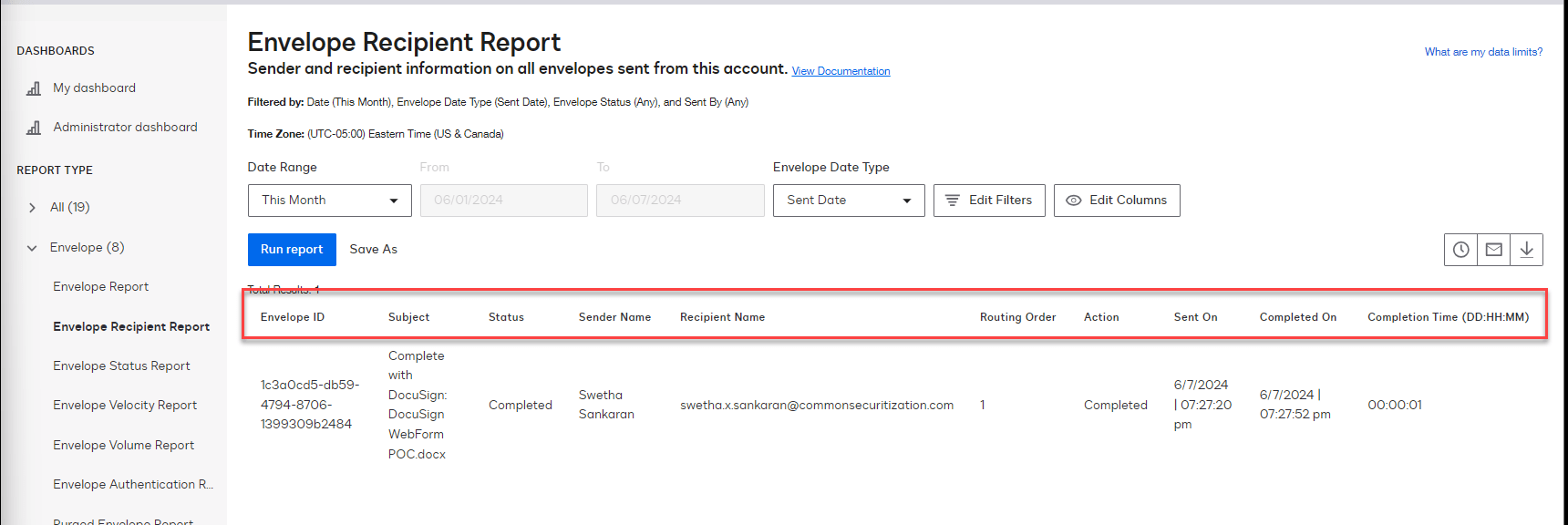
Example: Envelope Recipient Report
Report does not have option to add fields from the DocuSign form.
Enter WebForm!!

Process to create the WebForm is straightforward –
- Pre-requisite: Standard envelope template with a document for recipient to fill out

- Once your template is ready, go to – TEMPLATES > START > WEB FORMS > CREATE a web form and select the template you created for this WebForm

- Walk through the form setup and modify as your requirements dictate
- You will notice a few things:
- Outline section in the left navigation lists the options for customizing the form UI for signer
- You can customize Welcome message to display on webform load, after completion of signature display a Thank you message(this comes with option to provide custom redirect URL 🙂 )
- Within the form fields view: ‘Field Name’, ‘API reference name’ both fields are pre-populated with the “Data Label” value from standard DocuSign template this webform is connected to
- You can update the Field Name to a friendly name for signee
- You can add ‘RULES’ to the fields as you would in DocuSign template envelope


REPORT:
Now to reporting –
- Reports page in DocuSign has a new entry called “Document Data”
- Select the web form that you would like to report on and run the report
- You will now notice Form Fields listed along with metadata columns – thats it! Report away!


Discover more from QubitSage Chronicles
Subscribe to get the latest posts sent to your email.