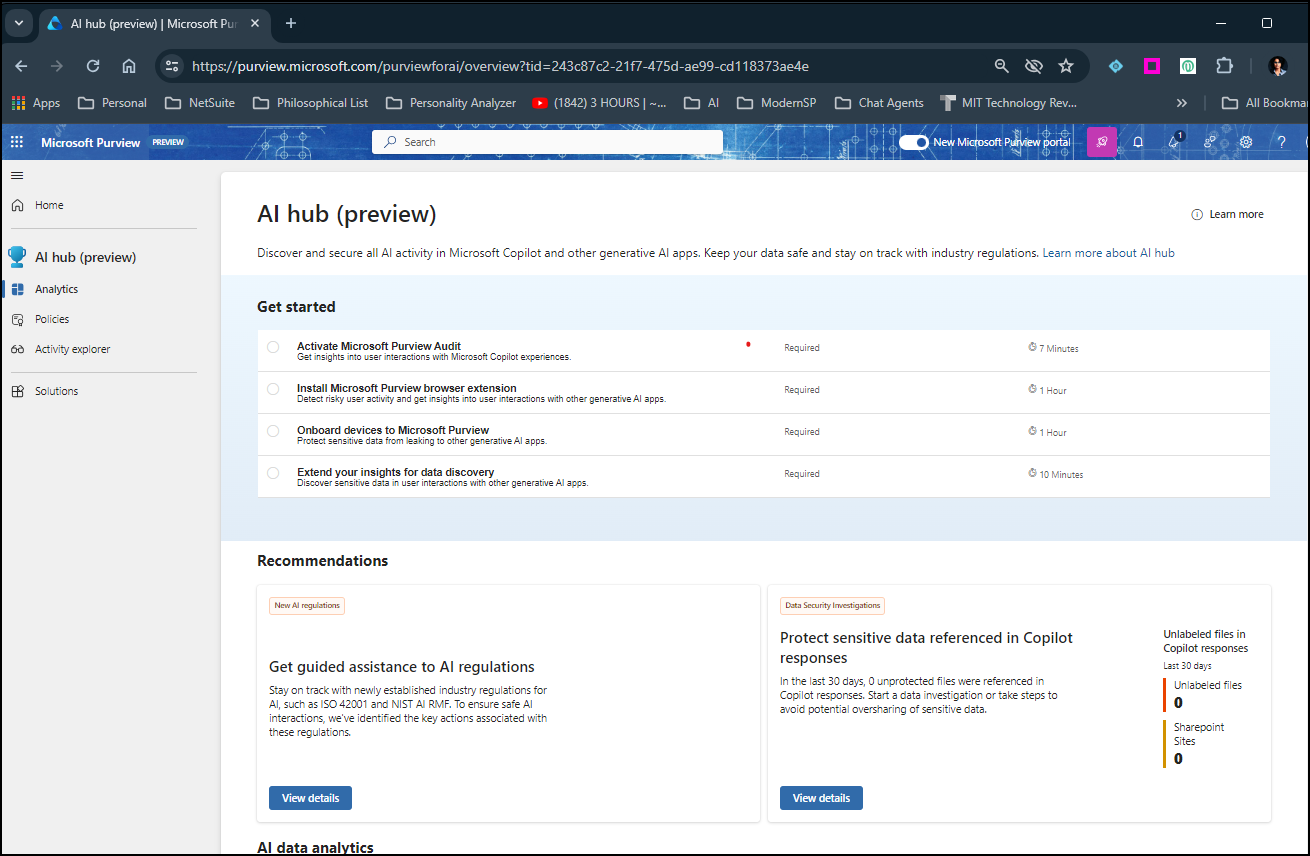
Microsoft Purview now has a new feature called AI Hub in public preview. A central location to manage and monitor an organizations Gen AI applications & Microsoft 365 Copilots.
Activating the AI Hub feature in Microsoft 365 Purview to me was straightforward. Agreed, mine is a M365 Developer Sandbox account so not a lot of data, users OR copilots. That said, I would think getting started experience would remain the same irrespective of the type of account. We have a series of step by step instructions in the landing page of the Purview AI Hub. Upon completing the necessary start actions, we can review the recommendations and act on items to secure our contents to ensure that we employ safe and responsible AI AND stay compliant with AI regulations.
Goal of responsible AI is to employ AI in safe, trustworthy & ethical manner without any inherent biases.

AI Hub is listed in the left navigation of Microsoft Purview app and as a card in the new Microsoft Purview Portal.

Follow along instructions in Get Started to Activate AI Hub! Analytics, Policies and Activities Explorer pages are listed in the left navigation of AI Hub.

You have the option to setup two pre-configured policies (Data Security and Control Unethical AI)

Add browser extension for Microsoft Purview. Works only for Edge.


Onboard devices to Microsoft Purview: Onboarding user devices to Microsoft Purview allows activity monitoring and enforcement of data protection policies when users are interacting with generative AI apps.
When it’s turned on, any devices that are already onboarded to Microsoft Defender for Endpoint (MDE) will appear in the device list.
If devices weren’t already onboarded, you can get started from the “Onboarding” page.
Follow along recommendations section to ensure all the new AI regulations are met. Below are the recommendations followed by some of the actions I took in my account.
- Monitor logs for AI interactions.
- Monitor AI interactions in other generative AI apps
- Flag risky communication and content in AI interactions
- Prevent sensitive data from being shared in generative AI apps
- Manage retention and deletion policies for AI interactions
Setup sensitive data discovery for user interactions with other Gen AI apps.
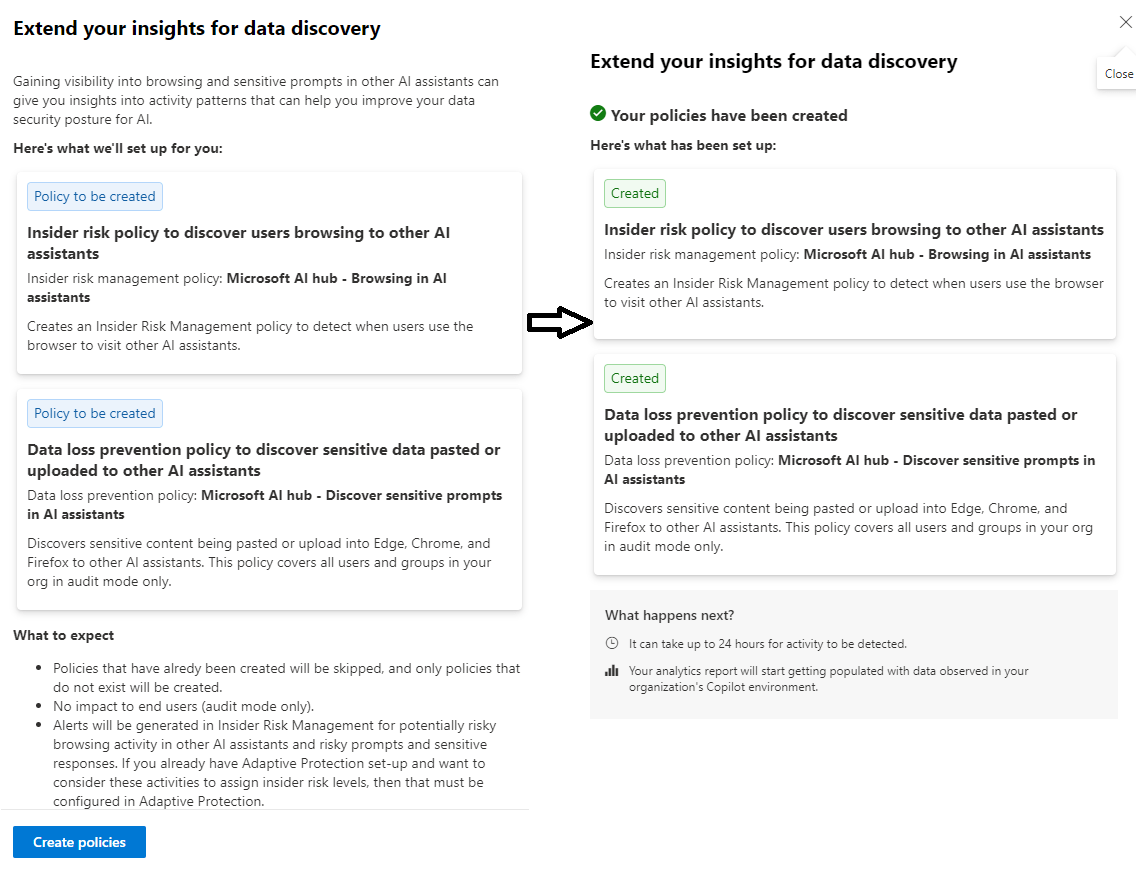
Monitor Logs for AI interactions. Workloads > Copilot

This is barely scrathcing the surface for configurations, but we can take advantage of pre-built policies offered by AI Hub.
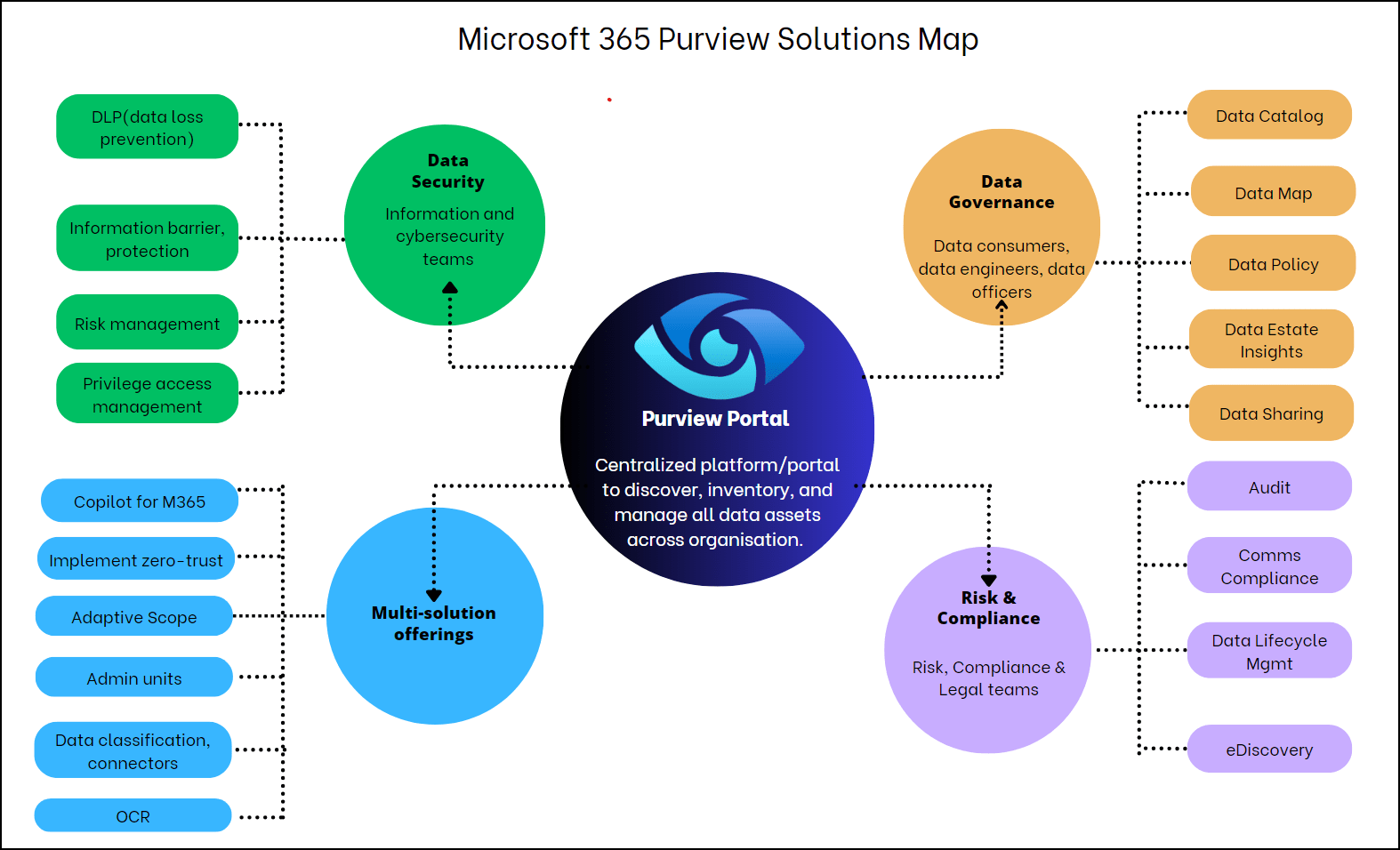
Below is an infographic representation of solutions offered by Microsoft 365 – AI Hub falls under Multi-solution offerings category.
Discover more from QubitSage Chronicles
Subscribe to get the latest posts sent to your email.


