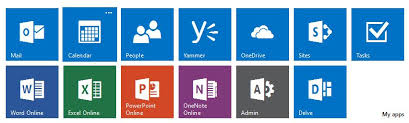
New FORMS app for #Office365 for Education is easy to setup survey/quiz tool that comes with few reporting/analytics built in and available immediately on response submit.

It is pretty intuitive and did not take much time to figure out, especially if its a power user setting up quick quizzes/surveys. What I found useful was also the feature to export the results to excel for analysis. All in all I think it will be very useful for staff to create quizzes, surveys, registration forms etc., for power-users/teacher/team alike, who are tasked with gathering data from users.
Few advantages I observed with this app:
- Quick view of the # of response submitted in the ‘Responses’ tab
- Option to download barcode and instantly access the form
- Metadata details: Date submitted, who submitted it, date modified etc., when responses are exported to Excel so form authors can track the results.
- Ability to embed the form in any external site/CMS via embed code
- Responses dashboard(or what I call it as, its pretty cool with dynamic pretty charts. #winning)

Authors can view results in real-time via built-in analytics and data can be easily exported to Excel for additional analysis. Teachers can create quizzes, including defining the right answers and students get real-time feedback.
Office 365 experience is getting better and better! Great collaboration option and lots to choose from.
Discover more from QubitSage Chronicles
Subscribe to get the latest posts sent to your email.