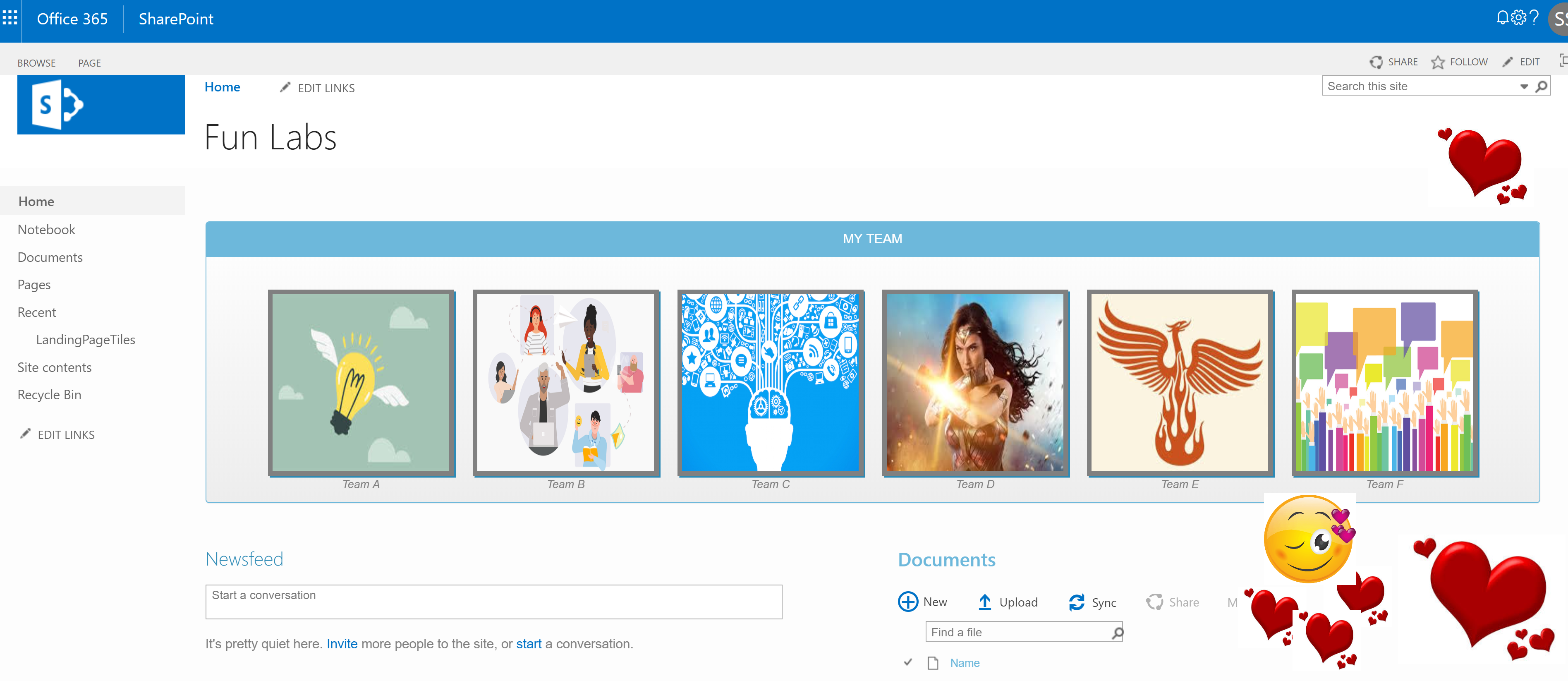
WHY THE NAVIGATION?
Ease of use for your site visitors. No need for the clunky left navigation or extremely wide top navigation. As much as we love our sub sites and its child sites our own, they can get pretty long and nasty looking jumble…
- SITE USERS:
Ease of navigation ( DUH!)
Interactive experience
Enhanced user experience, responsive design, visual guidance - SITE ADMINs:
Ease of maintenance(They don’t have to wait around for those smart developers to come add their fancy scripts to include subsite that we created yesterday, you know… we shall be self sufficient, include an item in the dynamic list and be done with it!)
Above all else, a fashionable landing page(if I say so myself, what? Only I say that? hmmm… ..) that attracts users without losing proper functionality
Also, ummm…….Why the heck NOT?
- Team/ Publishing Site (This solution uses JavaScript, Bootstrap libraries. We kinda need to insert CEWP/ScriptEditor)
- List (We are gonna hook this up with the script to read and render the tiles – ahem..ahem…dynamic ahem..)
Fields:- Title (Out of the box, suffices. Nothing fancy)
- ImageURL (Single line of text)
- RedirectURL(Single line of text)
- Description(Single line of text)
Script & (You can unleash your creativity here… ie., as acceptable by your team)
SITE PAGE
- Go to the home page of your site where you want to insert this navigation widget
- Why home? Well, you can go to ‘welcome’, ‘adios’,’ciao’,’namaste’ pages of your choice. I chose
- ‘HOME’ > Edit Page > Insert Content Editor web part > Add the script file reference
POPULATE THE LIST
(them things need to have a collection of site navigational items to be displayed in the fancy tiles widget!)
 Those that noted the change in list experience, YES, its classic
- You can switch back and forth between modern/classic
WHY? - Cause you can. I couldn’t quick edit in the modern view, I attribute it to the gods of cloud being upset with my zeal to share a little much
- There you go! You have the list with some pretty rows!
THE SCRIPT
This script file/reference needs to go into either a Content Editor Web Part or Script Editor web part.(BuildTiles.js)
THE STYLE
This is a lot of fun to mess with and unleasing your inner artist. (StyleTiles.css)
Now create a page in your SharePoint site and insert the web part with your script file.(BuildTiles.js)

Enjoy your fancy navigation for SharePoint Online-Office 365!
Keep learning and sharing…

Discover more from QubitSage Chronicles
Subscribe to get the latest posts sent to your email.


poor description and illustration. Added a list and the scripts and nothing happened!